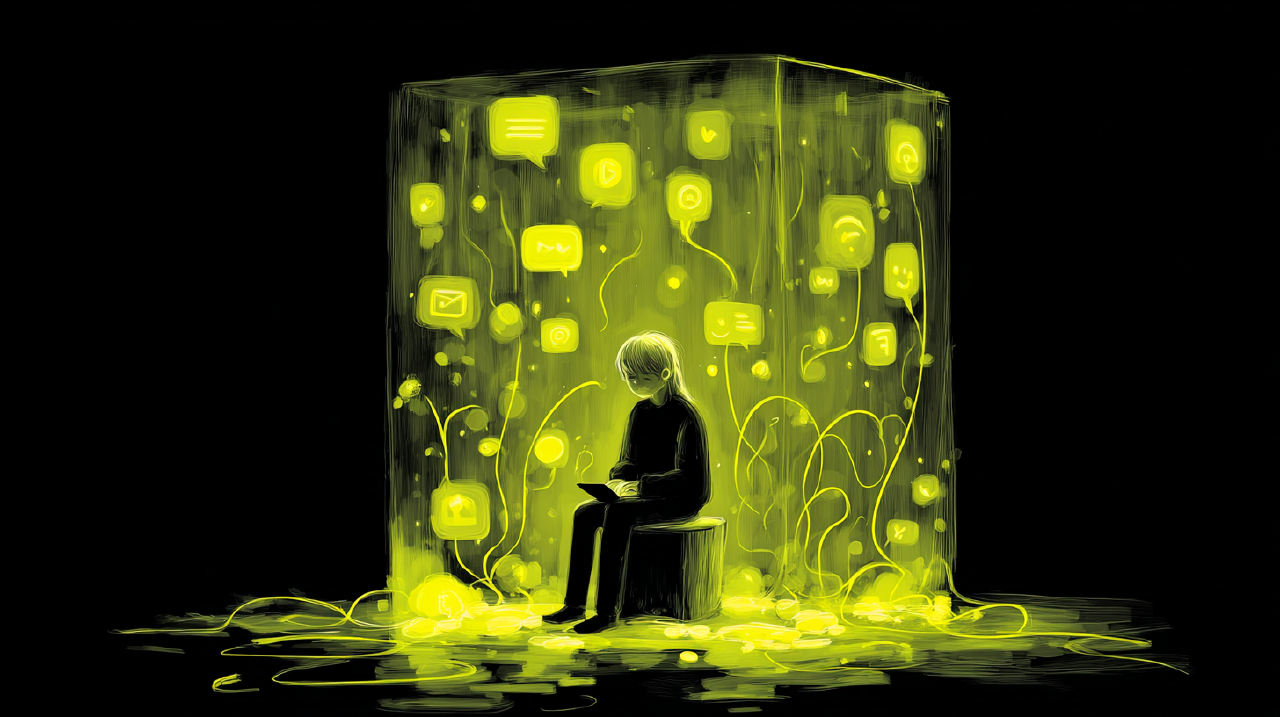




I open a feed because I have a small, legitimate question. What’s going on with that thing? Is there a decent version of the jacket I need? Did my friend actually move to Lisbon or is that just a Lisbon phase?
Twenty minutes later, I have no answer, no jacket, and a strong familiarity with a stranger’s kitchen remodel.
That’s not a moral failing. It’s an interface doing exactly what it was built to do: keep going.
The feed has no floors Link to heading
In a physical landscape, “keep going” is rarely the default. Trails have switchbacks. Roads have exits. Grocery stores have aisles. Even a good conversation has pauses where you can decide whether to continue or change direction.
The infinite scroll replaces all of that with one long downhill path, paved smooth, with just enough novelty to keep your feet moving. If you’re a user, you feel it as time dilation. If you’re building feeds, you see it as “session length.”
Both are true. The problem is what’s missing: floors.
Floors, not speed bumps or scolding. Places where you can stand, look around, and decide whether the next step is a choice or just momentum.
Scroll isn’t the enemy. Shapelessness is. Link to heading
Let’s be precise about what we’re diagnosing.
Infinite scroll is a neat mechanical solution to a business reality: there’s always more inventory. And it genuinely works when people have no particular mission and want a smooth browse. Nielsen Norman Group makes that point directly; it fits “homogeneous items” when users don’t have a specific task.[1]
The issue is that infinite scroll is now used everywhere, including when people do have a mission, or when the mission shifts mid-session. You enter to check on a friend; you exit having watched seventeen strangers argue about a sandwich.
That gap, between what you came for and what you left with, isn’t a willpower problem. It’s a legibility problem. The feed has no readable shape, so you can’t tell when you’ve arrived, when you’ve drifted, or when to leave.
The design job isn’t “replace the For You feed.” That’s like telling people to stop driving and only bike. Nice idea, wrong map.
The job is to give the feed architecture.
Why this matters more now Link to heading
There’s another shift worth naming: feeds are no longer “just feeds.”
Social and shopping are bleeding together. TikTok has been explicit about pushing TikTok Shop deeper into the viewing experience, automatically identifying items in videos and directing viewers to purchase.[2] When entertainment, identity expression, and purchasing all share one pipe, “intent” becomes a moving target.
A user can enter in lean-back mode (show me something fun) and end up in lean-forward mode (I’m comparing options, I’m spending money, I’m trying to learn). If your interface treats all modes the same, you get a subtle exhaustion. The session isn’t satisfying because it never clarifies what the session is for.
We need feeds that can hold multiple intentions without blending them into soup.
Four architectural patterns Link to heading
These patterns assume the For You feed stays central. We’re adding structure, not replacing the engine.
1. Waypoints: “Where am I?” Link to heading
The simplest move: keep the scroll, add visible segments.
Instead of one endless list, the feed becomes a series of chapters. Each chapter has a subtle boundary, a label (“Today,” “Earlier,” “From your saved topics”), and a position marker so returning doesn’t feel like falling back to the top of the mountain.
Smashing Magazine describes a practical version: marking breaks between “new” and “old” items, separating batches visually, and allowing users to mark positions they want to return to.[3] NN/g calls these “integrated pagination,” page indicators that appear as you scroll, acting as navigational landmarks.[1]
Two extensions make waypoints more powerful:
Resume points. When a user exits, save a bookmark automatically. When they return, offer two choices: “Pick up where you left off” or “Start fresh.” This matters because leaving without a bookmark triggers the FOMO loop: If I stop now, I’ll never find the good stuff again. Landmarks kill FOMO. They also kill doom revisiting, that feeling of having scrolled for ages and being unable to locate the one thing you wanted.
Editions. A bounded slice of content with a beginning and an end. “Today’s science.” “A short cultural digest.” “Three things worth saving.” This does not require a separate product; inject it as a card or module in the stream. The key is that the edition has an end state that feels like completion, not interruption. When you finish, you feel a small sense of closure.
People will still keep scrolling. That’s fine. Waypoints act like rest stops, not barricades.
2. Lanes: “What am I here for?” Link to heading
People oscillate between modes. Lean-back: “show me whatever.” Lean-forward: “I’m looking for something specific, or I want to learn, or I’m actively shopping.”
We keep pretending one feed can serve both equally well. It can’t.
A lane pattern makes the mode shift explicit without being heavy-handed:
- A visible lane indicator that says what you’re in
- A simple toggle: Browse / Shop / Learn / Friends
- A “two swipes grace period” to sample another lane before committing
This isn’t a hard fork. It’s lanes you can slip into and out of.
Meta’s 2025 move to refresh Facebook’s Friends tab is lane separation at platform scale, a feed “made up entirely of content from your Facebook friends,” filtering out algorithmic recommendations.[4] The Verge summarized it more bluntly: a friends-only feed that ditches the junk.[5]
This isn’t nostalgia. It’s noise reduction. A friends lane works because it answers a basic question instantly: Why am I seeing this? Because it’s a person you chose.
Sometimes the alternative to infinite scroll isn’t a new scroll mechanic. It’s a boundary around inventory. If you want meaningful engagement, you often have to decide what you’re excluding.
3. X-Ray: “What’s happening to me?” Link to heading
Here’s the missing piece in most “well-being” features: they focus on stopping, not steering.
But regret is rarely “I spent 60 minutes.” It’s “I spent 60 minutes and I don’t like who I became during it.”
Give users a way to see what the feed thinks they are.
TikTok’s “Manage Topics” is a real step, with sliders to adjust topic frequency, accessible via Share → Why this video → Adjust your For You → Manage topics.[6] The Verge reported on TikTok expanding this globally, along with “smart” keyword filters that block related words.[7] Instagram’s “recommendations reset” acknowledges that personalization can go stale or misaligned.[8]
These are steering controls. They’re just buried.
The pattern we want is an intentional x-ray surface:
- Easy to access (a triple tap, a long press, a deliberate gesture)
- Calm and non-judgmental
- Specific about what it’s showing
What it might display:
- “Here’s what you consumed today by category”
- “Here’s what the model thinks you want more of”
- “Here’s your mix of lean-back vs. lean-forward sessions this week”
Then it offers small nudges: more science, less shopping. More friends, fewer strangers. More long-form, fewer clips.
This isn’t about turning the feed into a spreadsheet. It’s about giving users a dashboard, like an instrument panel in a vehicle. You don’t stare at the speedometer for fun. You glance to orient, then you drive.
If you want to reduce the “life-wasting binge” feeling, give users receipts they can actually use.
4. Off-Ramps: “How do I leave without losing?” Link to heading
The most underrated feed problem is the anxiety of leaving.
People keep scrolling because exiting feels like closing a door on the one good post they haven’t seen yet. That fear isn’t irrational. It’s trained.
Most feeds treat exit as failure. The UI posture is: you either keep going, or you vanish.
A better posture: leaving is a valid interaction. Build exits that don’t punish the user with loss.
An off-ramp might:
- Save the current state automatically
- Offer a lightweight “mission card” for the next visit: “Shop: find one item under $50.” “Learn: watch 3 STEM posts.” “Friends: check updates from people you follow.”
When the user returns, the feed reopens on that mission for a few minutes, then releases them back into For You.
The psychological trick isn’t trickery. It’s a frame. You’re converting “I escaped the feed” into “I exited with a plan.”
That’s how you reduce FOMO without pretending the feed will become finite.
A note on prompts Link to heading
Most break prompts are built like speed traps. They appear, they scold, they vanish, and everyone learns to tap through them faster.
TikTok’s screen time feature is slightly better: break reminders with options to dismiss, snooze, or edit future reminders.[9] That matters because it frames the user as someone who sets their own schedule, not someone being corrected mid-scroll.
Two design lessons:
- Context matters. Nighttime is different from lunchtime.
- Choice architecture matters. “Snooze” and “Edit reminders” respect autonomy more than “Stop.”
Still, prompts are the sharpest tool in the drawer. Use them like a flare: sparingly, with purpose, and not as your only navigation aid.
The business case (briefly) Link to heading
Now we can say the quiet part: today’s incentives are tuned for short-term engagement. Endless scroll and algorithmic novelty are very good at that job.
The counterargument isn’t “be ethical.” The counterargument is practical.
A product that leaves people vaguely unsatisfied will eventually need bigger and bigger stimulation to keep them around. That’s an expensive road. It corrodes trust. It invites regulation.
That shift toward what we might call human incentives (orientation, agency, structure) isn’t charity. It’s a durability strategy. And it doesn’t require clumsy intermissions or modal pop-ups.
It requires designing feeds like environments instead of firehoses.
The upgrade Link to heading
We probably won’t get the last page back. The inventory is infinite. The supply chain of content will not run out.
But we can get something else: the feeling that continuing is a choice, not the default.
The feed that still delights. Still surprises. Still has the good stuff. But also has floors, lanes, and an x-ray panel that lets you put your hand back on the wheel.
That’s the upgrade: a feed you can steer, not just a slower feed.
[1]: Tim Neusesser, “Infinite Scrolling: When to Use It, When to Avoid It,” Nielsen Norman Group (2022). https://www.nngroup.com/articles/infinite-scrolling-tips/
[2]: Aisha Malik, “TikTok tests a feature that would bring TikTok Shop links to more videos,” TechCrunch (Jan 30, 2024). https://techcrunch.com/2024/01/30/tiktok-tests-a-feature-that-would-bring-tiktok-shop-links-to-more-videos/
[3]: Vitaly Friedman, “Infinite Scroll UX Done Right: Guidelines and Best Practices,” Smashing Magazine (2022). https://www.smashingmagazine.com/2022/03/designing-better-infinite-scroll/
[4]: “Bringing the Magic of Friends Back to Facebook,” Meta Newsroom (Mar 27, 2025). https://about.fb.com/news/2025/03/bringing-magic-of-friends-back-to-facebook/
[5]: Emma Roth, “Facebook launches Friends tab: a new feed that ditches algorithmic junk,” The Verge (Mar 27, 2025). https://www.theverge.com/news/637668/facebook-friends-only-feed-algorithm
[6]: “Manage topics in the For You feed,” TikTok Support. https://support.tiktok.com/en/account-and-privacy/account-privacy-settings/manage-topics
[7]: Emma Roth, “TikTok gives everyone more control over what’s on their For You page,” The Verge (Jun 3, 2025). https://www.theverge.com/news/678779/tiktok-for-you-feed-manage-topics-global-launch
[8]: “Reshape Your Instagram With a Recommendations Reset,” Meta Newsroom (Nov 19, 2024). https://about.fb.com/news/2024/11/introducing-recommendations-reset-instagram/
[9]: “Set a daily screen time limit / screen time breaks,” TikTok Support. https://support.tiktok.com/en/account-and-privacy/account-information/screen-time